Oct 15, 2026
Who Is on Site Right Now? An HSE Manager’s Guide to On-Site Visibility
In this article, we explain what a visitor policy is and how to create one yourself. We cover the key components and give you a practical six-step plan and a free template so you can start right away.

Every company wants to welcome visitors in a hospitable and professional way. But without a clear visitor policy, you quickly expose your organization to unnecessary risks. Visitors can accidentally end up in secure areas, confusion can arise during emergencies, and sensitive or personal information can become visible unintentionally.
That is why a well-designed visitor policy is indispensable. It determines how your organization handles every visitor on the premises: who is admitted, what data you collect, who approves the visit, which documents must be signed, which areas are accessible, and how long visitor data is retained. This increases security, ensures a consistent visitor experience, and makes a professional impression from the very first moment.
This guide walks you through the eight components every visitor policy needs, a six-step implementation plan, a free template, and the most common mistakes to avoid.

A visitor policy is a written document that governs how every external person (a customer, supplier, contractor, job candidate, auditor, or delivery driver) is registered, identified, welcomed, and tracked from the moment of arrival until departure.
It translates abstract objectives (“we want to know who is in the building”) into concrete rules that reception, security, IT, and staff can apply consistently.
A visitor policy is not the same as a visitor management system (VMS). The policy is the set of rules; the system is the tool that ensures those rules are followed. Without a policy, even the best VMS is little more than a device that collects names; without a system, the best policy is little more than a document in a folder that no one reads.
A solid visitor policy answers seven simple questions for every visitor who shows up at your door:
If your current policy does not answer all seven questions for every visitor type, it is time for an update.
A written visitor policy is not bureaucracy for the sake of bureaucracy. It is a necessary document, for four reasons:
“We know who comes in, because Sarah at reception knows everyone.” You may have boundless trust in your staff, but for an auditor this is obviously not an acceptable control. ISO 27001, SOC 2, NIS2, and many industry-specific frameworks require a documented procedure for physical access by external parties. A written policy and an audit-ready visitor log are therefore indispensable.
As soon as you record a visitor’s data, such as their name, company, license plate, or signature, you are processing personal data and must comply with the GDPR (General Data Protection Regulation).
That means you need a clearly defined purpose for processing the data, a legal basis, a retention period, and a way to inform the visitor about it. In your visitor policy, you set this out once, so every receptionist applies it the same way every time. You can read more about the GDPR in our practical guide.
Receptionists have to make dozens of decisions every day. Does this contractor need to sign the non-disclosure agreement, or is the safety briefing enough? Does this candidate need to be escorted? May the delivery driver enter the warehouse area without a badge? A written policy gives reception a checklist instead of a memory test, and prevents confusion, errors, and inconsistencies between shifts and locations.
During an evacuation, fire, or security incident, no one has time to invent a procedure on the spot. A policy that sets out in advance who maintains the real-time attendance list, who alerts the emergency services, and which measures apply during an emergency makes the difference between a controlled response and chaos. See our emergency preparedness guide for more details.
Read also: 7 common mistakes when welcoming visitors
Every visitor policy, regardless of your organization’s industry or size, must contain the same eight building blocks. You can use this list as the basis for your document.
Explain why the policy exists: to increase security, protect employees and visitors, support emergency procedures, process visitor data correctly, and guarantee a professional welcome.
Then define where and for whom the policy applies: which locations, sites, business units, and visitor groups does it cover? Also note any exceptions, such as employees, visitors at a public event, or drivers who do not enter the building. Where relevant, refer to applicable legislation, standards, and audit requirements, such as the GDPR, ISO 27001, SOC 2, NIS2, or industry-specific rules.
Not every visitor needs the same access, supervision, or controls. A customer who stops by the office for an hour poses a different risk than a contractor working in technical areas for several days. That is why it is important to divide visitors into clear categories.
For each category, determine which data you collect, who must approve the visit, which documents are required, whether supervision is mandatory, and which areas the visitor may access.
Common visitor categories include:
| Category | Typical rules |
|---|---|
| Customers and business guests | Registration on arrival, simple identification, escorted by the host, access to meeting rooms |
| Job candidates | Pre-registered by HR, escorted by HR, access to reception and meeting rooms |
| Suppliers and delivery drivers | Quick check-in, access limited to reception, loading and unloading zone, or delivery point |
| Contractors and maintenance teams | Mandatory safety instructions, NDA if applicable, zone-specific badge, adjusted retention period where needed |
| Consultants and external staff | Prior approval, access to specific departments or systems, clear end date for access |
| Auditors and inspectors | Pre-scheduled visit, formal approval, supervision, access to specific documents or rooms |
| Event or training attendees | Bulk pre-registration, group check-in, temporary badge, access to event or training rooms |
| VIP visitors | Pre-arranged reception, escorted by a dedicated contact, check-in by reception instead of via kiosk if preferred |
Pre-registration leads to a smoother welcome. Visitors wait less, data is entered more accurately, and sensitive or higher-risk visits can be assessed in advance.
Set out clearly:
Define how visitors are identified and how visitor badges are used. Also determine whether a badge serves only as visual recognition, or is also linked to access control for certain doors or areas.
Make clear agreements about:
For more background on the security side, also read our article on 9 tactics for a secure visitor policy.
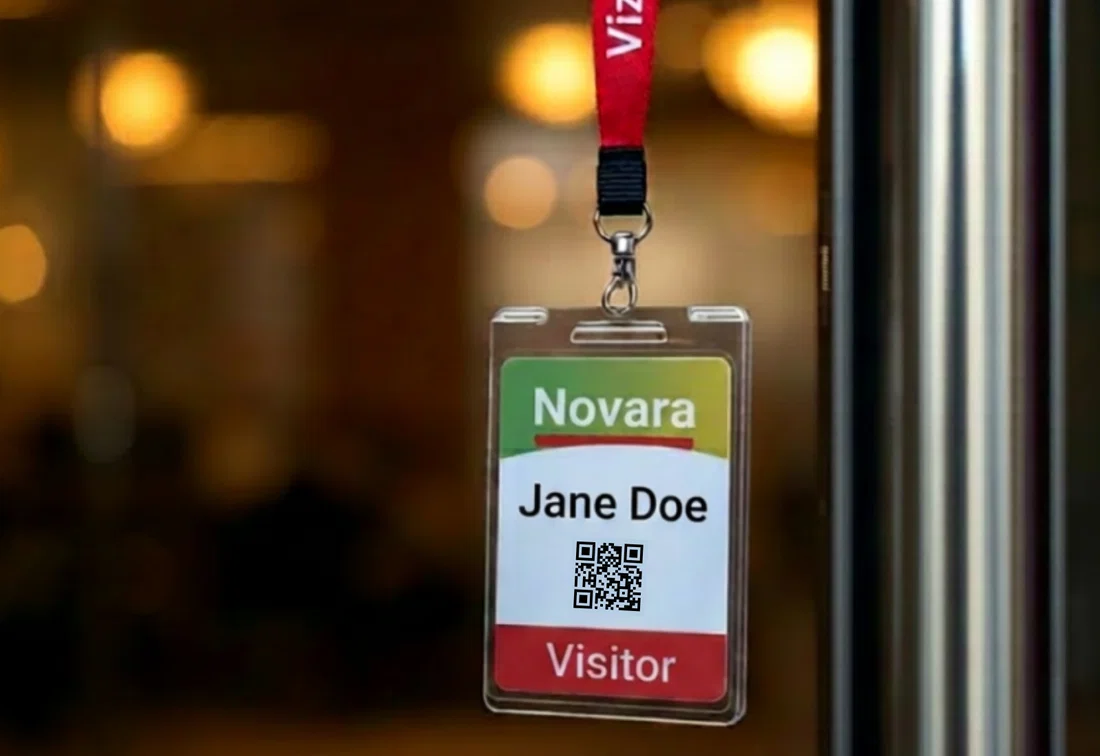
For each visitor category, define which documents visitors must read, confirm, or sign before they gain access. Not every visitor needs the same documents: a courier usually does not need to sign safety instructions, while for a contractor in a production area that can be essential.
Think, for example, of:
A digital visitor management system can show these documents automatically based on the type of visitor. Every confirmation or signature is recorded with a timestamp, so you can later demonstrate which visitor read or signed which document.
Not every visitor may enter every room in your organization. For each visitor category, therefore set out which areas someone may access, at which times, and under which conditions. Also determine whether visitors may move around independently or must always be escorted by an employee.
Where possible, link these rules to your physical access control systems. That way, a visitor badge or QR code only opens the doors the visitor is authorized for. Let access rights expire automatically at check-out, at the end of the day, or as soon as the scheduled visit period is over.
Emergencies rarely come at a convenient time, but they do need to be thought through in advance. A good visitor policy therefore sets out what happens to visitors during an evacuation, incident, or technical failure.
At a minimum, answer these questions:
That way, everyone knows what to do when every minute counts.
Describe which visitor data you collect, why you need it, and on which legal basis you process it. Also set out who internally has access to the data and how visitors can exercise their privacy rights.
Set a retention period for each data category. This can differ for regular visitors, contractors, incidents, or visits with specific compliance requirements. Many organizations use periods between 30 days and 2 years, depending on the purpose, the risk, and legal or contractual obligations. In addition, make sure data is automatically deleted from your system after this period.
| Quick checklist |
|---|
| ● Are the purpose and scope defined in line with relevant regulations? ● Are visitor categories defined with their corresponding specific rules? ● Are rules established around pre-registration and invitation/approval? ● Are rules established for identification and badges? ● Are there clear guidelines for required documents per visitor category? ● Are there rules for access to areas and supervision per visitor category? ● Are there detailed and clear emergency and evacuation procedures? ● Are the retention period and access rights for data clearly described? |
You don’t just draft a visitor policy between two meetings. Still, it doesn’t have to become a months-long project. If you follow these six steps, you can create a clear and workable visitor policy in three to six weeks.
Before you draw up rules, find out what actually happens at your reception today. Observe, talk to the receptionists, watch the check-in process, and request the visitor logs from the past month. Study concrete facts:
A visitor policy involves multiple teams. Assemble a small working group with representatives from the following departments:
Appoint a single owner who develops the policy in practical terms, coordinates it, follows up, and keeps it up to date.
Organize a session with the working group in which you set out the eight components of the visitor policy. For each visitor category, determine who must grant approval, which data is requested, which documents visitors must sign, which areas they may enter, and how long the data is retained.
Don’t make it unnecessarily complex. Resist the temptation to create twelve different visitor categories. For most organizations, five to seven categories are enough.
Have the owner draft a first version of the visitor policy in clear, practical language. Avoid legal or technical jargon: the policy must above all be usable for reception staff, security teams, and employees who welcome visitors.
Share the draft with the working group and allow for one or two feedback rounds. Then test the policy at one location or with one team before finalizing it. That way, you quickly discover whether the rules are clear, complete, and workable in practice.
A visitor policy that exists only on paper is quickly forgotten or applied inconsistently in practice. Therefore translate every rule from your policy into a concrete setting or fixed workflow in your visitor management system.
Think, for example, of visitor categories, required fields, documents that must be signed per type of visitor, badge templates, access rights per area, approval processes, and retention periods for visitor data. Does your policy state that contractors must first sign a safety briefing? Then the system must prevent a badge from being printed as long as that signature is missing.
Train reception staff, security staff, and employees who frequently welcome guests on the policy and the system. Schedule an annual review and determine which events trigger an interim review, such as a new location, new regulations, an incident, or an audit.

You can use the outline below as a starting point for your own visitor policy. You can simply copy the text into your internal policy tool and adjust the placeholders in brackets to fit your organization.
| Visitor policy - [Company name] |
|---|
| 1. Purpose and scope This policy describes how [Company name] registers, welcomes, identifies, escorts, and follows up external visitors at [list of locations]. The policy contributes to a safe, hospitable, and professional work environment and supports compliance with the GDPR and relevant standards or obligations, such as [ISO 27001 / SOC 2 / NIS2 / sector regulations]. This policy applies to [visitor groups]. Outside the scope are [any exceptions, such as employees, public events, or drivers who do not enter the building]. |
| 2. Visitor categories The following visitor categories apply: [customer/guest, job candidate, supplier/driver, contractor, auditor/inspector, event attendee, VIP]. For each category, specific rules apply around registration, approval, documents, supervision, access, and retention periods, as described in the sections below. |
| 3. Pre-registration and approval Visitors must be registered by their host at least [X hours/days] before arrival, unless otherwise specified. At pre-registration, at minimum the following data is requested: [name, company, purpose of the visit, arrival time, host]. For [contractors / visitors to secure areas / auditors / other categories], prior approval is required by [role or team]. Unannounced visitors are only permitted for [list of categories] and must follow this procedure: [procedure]. |
| 4. Identification and badges On arrival, visitors are identified according to the rules that apply to their visitor category. For [categories], simple registration is sufficient. For [categories or sensitive areas], verification of [type of ID] may be required, where this is necessary and justified. Photo registration is only used for [categories/locations] where this is needed for security reasons. Visitors receive a temporary badge with [name, company, visitor category, date, host, QR code or color code]. Badges are valid until [check-out / end of the day / end of the visit period] and must be returned on departure or automatically deactivated. Lost or unreturned badges must be reported immediately to [reception/security]. |
| 5. Required documents and agreements For each visitor category, it is determined which documents visitors must read, confirm, or sign before they gain access. This may include, among others, house rules, safety instructions, a privacy statement, or information about the processing of visitor data. Contractors, partners, or other visitors who gain access to confidential information sign a non-disclosure agreement where needed. Visitors to production, warehouse, lab, or technical areas follow the mandatory safety instructions. All confirmations and signatures are recorded digitally and timestamped. |
| 6. Access and zone restrictions Visitors are only granted access to the areas needed for their visit. For each category, it is set out which areas visitors may access, when that access is valid, and whether supervision is mandatory. For [categories/zones], supervision by an employee is mandatory. Access rights via badges, QR codes, PIN codes, or temporary permissions are aligned with these rules and expire automatically at [check-out / end of the day / end of the scheduled visit period]. |
| 7. Emergency and evacuation procedures The reception or security team has access to an up-to-date attendance list of all checked-in visitors. During an evacuation, this list is used to determine which visitors are present. Visitors gather at [assembly point location]. Hosts or internal contacts check whether their visitors are safe. If the visitor management system is unavailable, the following fallback procedure is followed: [procedure, for example a printed backup list or manual registration]. The emergency services are contacted by [role]. External contractors, suppliers, or other parties involved are informed by [role/team]. |
| 8. Data retention and privacy [Company name] only collects visitor data that is necessary for [purpose, for example security, access management, emergency procedures, and compliance]. Processing takes place on the basis of [legal basis, for example legitimate interest, legal obligation, or contractual necessity]. Visitor data is retained for [X days/months], unless a longer retention period is necessary for [incident investigation, legal obligation, audit requirement, or contractual obligation]. After the retention period ends, the data is automatically deleted from the visitor management system. Visitors can exercise their GDPR rights, such as access, correction, or deletion, via [email address of DPO/privacy contact]. Internally, only [roles/teams] have access to visitor data when this is needed for their role. |
| 9. Roles and review The owner of this visitor policy is [name/role]. This person manages the policy, keeps it up to date, and ensures the agreements are applied in practice. The sponsor of the policy is [name/role], who provides approval and support within the organization. This policy is reviewed at least annually. An interim review takes place after every relevant incident, every audit finding, the opening of a new location, a change in access control or visitor management, or a significant change in legislation or internal procedures. Last revised on: [date]. Next scheduled review: [date]. |
You can use this document in its current form for a small organization, or adapt each component to the level of detail required for the scale of your company.
Policies often fail in similar ways. Avoid these pitfalls.
A visitor policy that disappears into a SharePoint folder has little value. The goal is not just to have a document, but to actually apply clear agreements in practice.
Make sure your policy becomes visible in daily operations: in the configuration of your visitor management system, the training of receptionists, the host’s invitation email, and the visitor check-in process.
Your visitor policy may increase security, but it must not slow down the welcome unnecessarily. If visitors have to go through too many steps, fill in long forms, or provide the same information multiple times, this causes frustration at the desk and extra work for staff.
Therefore limit the check-in process to what is really needed. Only ask for the information you actually use, and automate where possible, for example via pre-registration, digital documents, and automatic notifications to the host.
Not every visitor poses the same risk or needs the same supervision. A courier delivering a package is not the same as a contractor carrying out three weeks of maintenance work or a consultant who is given access to office spaces.
A visitor policy with one general rule for everyone therefore rarely works well. It quickly becomes either too strict, which makes the check-in process slow and cumbersome, or too lenient, which leaves you with insufficient control.
Therefore work with clear visitor categories. For each category, determine which data you need, which documents must be signed, who must grant approval, and which areas the visitor may access.
Asking every visitor for a national ID number, license plate, and emergency contact is asking for trouble. In some situations that data may be relevant, but it is certainly not justifiable for every visitor.
Under the GDPR, you must be able to clearly explain why you collect certain data and how long you retain it. So don’t ask for more data than necessary by default; limit your check-in form to the information you really need for that type of visitor.
Does your organization have multiple locations? Then it is important that visitors are welcomed and registered according to the same basic rules everywhere.
When each location interprets the policy in its own way, differences arise in security, privacy, and compliance. Therefore work with one central visitor policy and a consistent configuration in your VMS. Only leave room for local exceptions when they are genuinely needed, for example due to specific legislation, building layout, or security requirements.
The section everyone hopes never to need is often exactly the section auditors pay extra attention to. Emergency procedures are therefore an essential part of every good visitor policy.
Set out in advance what happens during an evacuation, how you know which visitors are still in the building, and who is responsible for follow-up. Also consider a fallback procedure for when the visitor management system is temporarily unavailable. That way, you prevent confusion at the moment when speed and clarity matter most.
A visitor policy only works if the technical settings match. If, according to the policy, a contractor may only access the warehouse, their badge must not accidentally also open office spaces or server rooms. Therefore check carefully whether the access rights, badge settings, and zones in your system align with the rules in your policy.
You can read more about possible integrations in our article on visitor management and access control.
Read also: 9 essential tips for securing your business.
A visitor policy is only valuable if it is also applied consistently. A professional digital visitor management system like Vizito helps you turn the agreements in your policy into clear processes, automatic controls, and a smooth check-in process.
With Vizito, you can work with, among other things:
Does your policy state that contractors must first sign the safety instructions before they receive a badge for zone 2? Then Vizito ensures that badge cannot be printed as long as the signature is missing. That is the difference between a policy that is ambitious and a policy that works.
A complete visitor policy describes 8 components: the purpose and scope of the policy, the different visitor categories, rules for pre-registration and approval, identification and badges, documents visitors must sign (NDA, safety instructions, house rules, or privacy statement), access rights and restrictions per area, emergency and evacuation procedures, and retention periods for visitor data in line with the GDPR.
Yes. Small businesses also receive visitors, suppliers, job candidates, customers, or external staff. As soon as someone enters your office or building, it is important to be clear about who that person is, why they are present, and what access is needed.
A visitor policy does not have to be long or complex for a small business. Often a simple set of agreements about sign-in, registration, supervision, access to rooms, emergency procedures, and retention periods for visitor data is enough. The free template in this article helps you quickly set up a solid foundation.
Usually a facility manager, office manager, or security manager is appointed as the owner of the visitor policy. That person manages the policy, keeps it up to date, and ensures the agreements are applied in practice.
Reception, security, and employees who welcome visitors carry out the policy daily. In larger organizations, IT, legal, compliance, or the CISO are often involved as well, especially when the policy affects privacy, access control, or audit requirements such as ISO 27001, SOC 2, NIS2, and the GDPR.
Review your visitor policy at least once a year. Also do so whenever something changes that affects visitors, access, or security, such as a new location, a new access control system, a large group of new contractors, or new regulations.
After an incident, near-incident, or audit finding, it is also wise to revisit the policy outside the normal schedule. That way, the policy stays current and aligned with the risks and operations of your organization.
A good visitor policy helps your organization welcome visitors hospitably without losing control over security, access, and data processing. It makes clear who is welcome, which steps visitors must follow, which documents are needed, and who is responsible for what.
What matters is that the policy does not exist only on paper. Translate the agreements into your daily operations, your reception process, and your visitor management system. That way, rules are applied consistently and the visitor experience stays both professional and smooth.
Want to get started quickly? Use the free template in this article as the basis for your own visitor policy and adapt it to the needs, risks, and locations of your organization.
To experience for yourself how a visitor management system can support your policy, you can try Vizito now with a free 14-day trial.
 Hosted in Europe
 ISO 27001 Certified
 GDPR compliant
 249+ reviews
 No credit card required
Our chat could not load
A content blocker or privacy extension is blocking client.crisp.chat, the service that runs our chat. Allow that address and try again, or reach us another way.
Contact us instead